
-20%

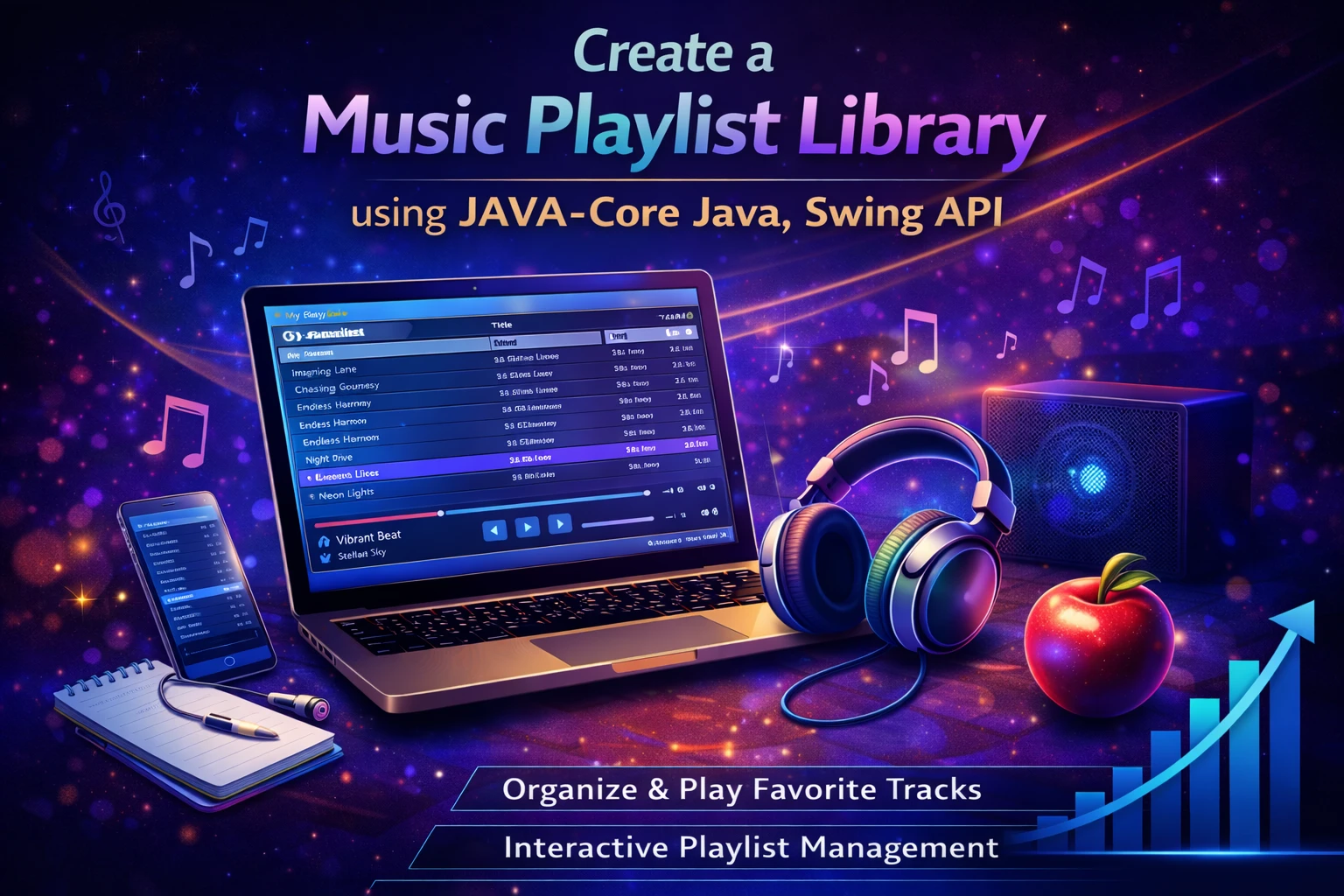
Create a Music Playlist Library using JAVA-Core Java, Swing API

0 Orders 0 Wish listed

₹4,999.00

Qty
Total price:
  ₹4,999.00

Detail Description

1. Abstract

Music Playlist Library is a desktop-based application developed using Core Java and the Swing API to manage and organize music collections in a simple and user-friendly way. The main purpose of this project is to help users create, store, update, and view playlists of songs through an interactive graphical user interface. In the modern digital world, music has become an essential part of daily life, and users often maintain collections of songs for entertainment, relaxation, study, workouts, and other activities. Managing these songs manually can be difficult when the collection grows larger. This project provides an efficient solution for handling such music data in an organized digital format.

The application allows users to add songs to a playlist, remove songs, search for a particular track, view all songs in the library, and arrange songs according to their preference. It may also support details such as song title, artist name, album name, duration, genre, and playlist category. The project focuses on building a library management system for playlists rather than a full media streaming platform, making it suitable for academic use and practical understanding of desktop application development.

This project is implemented using Java Core concepts such as classes, objects, inheritance, encapsulation, collections, file handling, exception handling, and event-driven programming. The graphical interface is designed using Java Swing, which provides components like JFrame, JPanel, JButton, JLabel, JTextField, JTable, JList, and JScrollPane. Through this project, students can understand how backend logic and graphical user interface elements work together to create a complete application.

The system offers a convenient way to maintain playlists without depending on internet connectivity or large external frameworks. It is lightweight, efficient, and easy to operate. For academic purposes, it serves as an excellent mini-project because it combines data management with GUI design and real-time user interaction. The application can also be enhanced in the future with advanced features such as audio playback integration, sorting by artist or genre, favorites list, login support, and database connectivity.

In conclusion, Music Playlist Library is a practical Java-based application that demonstrates how music playlist management can be handled effectively using Core Java and Swing API. It helps reduce manual effort, improves organization of music records, and provides learners with a strong foundation in GUI application development.

2. Objectives

The main objectives of the project are:

  1. To develop a desktop application for managing music playlists.
  2. To provide an easy way to add, edit, delete, and search songs.
  3. To organize song details in a structured and digital format.
  4. To use Java Core concepts in a real-world application.
  5. To implement a graphical user interface using Java Swing API.
  6. To understand file handling for storing playlist data.
  7. To improve knowledge of event handling and object-oriented programming.
  8. To create a lightweight and user-friendly music library system for academic learning.

3. Existing System

In the existing system, users often manage songs manually by storing music files in folders without proper classification. In some cases, they maintain simple text files or rely on basic media players that do not provide flexible playlist organization for educational customization. This approach has several limitations:

  1. Songs are scattered across multiple folders and are difficult to organize.
  2. Manual tracking of playlists is time-consuming.
  3. Searching for a song in a large collection can be inconvenient.
  4. Existing media players may not allow easy customization for academic projects.
  5. There is limited understanding of how playlist systems are internally built.
  6. Song information may not be stored systematically.
  7. Editing and updating playlists manually can lead to duplication or missing records.

Thus, there is a need for a custom-built application that provides structured playlist management and also helps students understand its implementation using Java.

4. Proposed System

The proposed system is Music Playlist Library, a Java-based GUI application that enables users to create and manage music playlists efficiently. The system provides an interactive interface where users can maintain song records and organize them into playlists.

The proposed system includes the following features:

  1. Add new songs with details such as title, artist, album, genre, and duration
  2. Create and manage playlists
  3. View all songs in the music library
  4. Search for songs by title or artist
  5. Delete songs from the library or playlist
  6. Update song details when required
  7. Display playlists in an organized format
  8. Save and load playlist data using file handling

This system is simple, organized, and easy to use. It reduces confusion in music management and provides a better learning platform for students to understand Java Swing-based application development.

5. Implementation Procedure

The implementation procedure of the project can be divided into the following steps:

Step 1: Requirement Analysis

  1. Identify the need for playlist management.
  2. Decide what song details are to be stored.
  3. Define the major modules such as Song Management, Playlist Management, Search, and Display.

Step 2: System Design

  1. Design the structure of the application.
  2. Create class diagrams for Song, Playlist, and Library.
  3. Design the GUI layout with input fields, buttons, and display sections.

Step 3: GUI Development

  1. Use Java Swing components such as JFrame, JPanel, JLabel, JTextField, JButton, JTable, and JScrollPane.
  2. Create forms for entering song details.
  3. Provide buttons for add, delete, search, update, and display operations.

Step 4: Backend Logic Development

  1. Create Java classes for song and playlist operations.
  2. Use arrays, ArrayList, or other collection classes to store song records.
  3. Implement methods for adding, removing, updating, and searching songs.

Step 5: File Handling

  1. Save playlist and song records into files.
  2. Retrieve stored data when the application restarts.
  3. Handle file-related exceptions to ensure proper working.

Step 6: Event Handling

  1. Use action listeners for button clicks and menu operations.
  2. Connect GUI components to backend methods.
  3. Ensure proper user interaction and response.

Step 7: Testing

  1. Test all modules individually and as a complete system.
  2. Verify song addition, search, deletion, and playlist display.
  3. Check for errors in file saving and loading.

Step 8: Deployment

  1. Run the application on a system with Java installed.
  2. Provide the software for use as an academic or mini-project application.

Step 9: Maintenance and Enhancement

  1. Fix bugs and improve usability.
  2. Add advanced features such as music playback, sorting, filtering, and database storage in future versions.

6. Software Requirements

The software requirements for this project are:

  1. Operating System: Windows 7/8/10/11 or Linux
  2. Programming Language: Java
  3. Technology Used: Core Java
  4. GUI Framework: Swing API
  5. IDE/Editor: NetBeans / Eclipse / IntelliJ IDEA
  6. JDK Version: JDK 8 or above
  7. Documentation Tool: MS Word

7. Hardware Requirements

The hardware requirements for this project are:

  1. Processor: Intel Pentium / Intel i3 or above
  2. RAM: 2 GB minimum, 4 GB recommended
  3. Hard Disk: 100 GB or above
  4. Monitor: 14-inch or above
  5. Keyboard and Mouse
  6. Speakers/Headphones: Optional, if music playback is added in future enhancements

8. Advantages of the Project

The major advantages of Music Playlist Library are:

  1. Provides organized management of music collections.
  2. Makes playlist creation and song arrangement easier.
  3. Reduces manual effort in maintaining song records.
  4. Helps users quickly search and access songs.
  5. Demonstrates practical use of Java Core and Swing API.
  6. Improves understanding of GUI design and event handling.
  7. Supports file handling for data storage and retrieval.
  8. Lightweight and easy to use desktop application.
  9. Can be enhanced with audio player and database features.
  10. Suitable for mini-projects, lab work, and academic submissions.


No review given yet!

Fast Delivery all across the country
Safe Payment
7 Days Return Policy
100% Authentic Products

You may also like

View all

Travel Advisor App Using React.js

₹4,999.00

React Admin Dashboard Using Material UI and Chart.js

₹4,999.00

AI Quiz Bot Application Using React.js

₹4,998.99

Antivirus File Scanner Application Using React.js

₹4,999.00

AI OCR Image to Text Extractor Using React.js

₹4,999.00

Create a Music Playlist Library using JAVA-Core Java, Swing API
₹4,999.00 ₹0.00
₹4,999.00
4999