
-20%

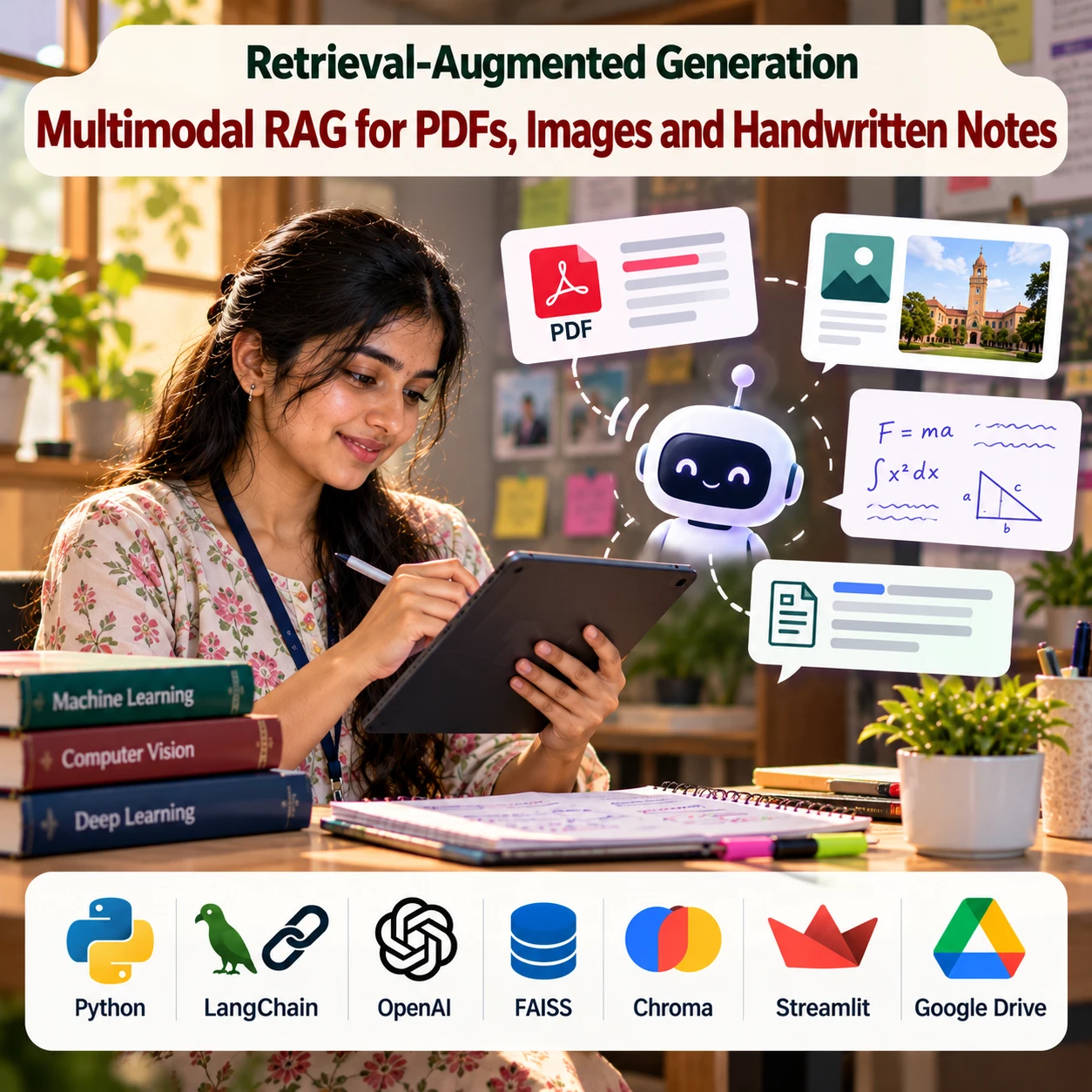
Multimodal RAG for PDFs, Images and Handwritten Notes

0 Orders 0 Wish listed

₹4,999.00

Qty
Total price:
  ₹4,999.00

Detail Description

1. Abstract

The Multimodal RAG for PDFs, Images and Handwritten Notes system is an AI-powered application that combines Retrieval-Augmented Generation (RAG), Optical Character Recognition (OCR), computer vision, and Large Language Models (LLMs) to retrieve and answer questions from multiple document formats. The system processes digital PDFs, scanned documents, images, and handwritten notes to extract meaningful information and create a searchable knowledge base. It uses text extraction, handwriting recognition, image understanding, and vector embeddings to retrieve relevant content based on user queries. The retrieved information is supplied to an LLM to generate context-aware answers with source references, such as document names and page numbers when available. The application provides an interactive interface where users can upload documents, ask questions in natural language, and explore relevant passages. This approach helps users analyze mixed-format documents more efficiently while supporting verification of generated answers against the original sources.

2. Objectives

  1. To develop a multimodal RAG system for different document formats.
  2. To extract text from digital and scanned PDF files.
  3. To recognize text from images and handwritten notes.
  4. To integrate OCR and vision-language models for document understanding.
  5. To generate embeddings for efficient semantic retrieval.
  6. To answer natural-language questions using retrieved document content.
  7. To provide source references for generated answers.
  8. To support multiple document uploads in a unified knowledge base.
  9. To improve information accessibility across mixed-format documents.
  10. To evaluate retrieval accuracy, extraction quality, and answer relevance.

3. Existing System

Traditional document-search systems primarily rely on keyword matching and text extraction. They work reasonably well with digitally generated PDFs but may struggle with scanned documents, handwritten notes, diagrams, and image-based information. Conventional OCR tools can extract printed text, but handwriting recognition accuracy varies with writing style and image quality. Standard text-only RAG systems may also overlook information contained in figures, charts, and other visual elements.

Disadvantages

  1. Limited support for handwritten content.
  2. Difficulty processing scanned and low-quality documents.
  3. Text-only search may miss information embedded in images and diagrams.
  4. Manual document review can be time-consuming.
  5. Keyword-based retrieval may miss semantically relevant information.
  6. OCR errors can affect downstream answers.
  7. Generated responses may be unreliable when extracted evidence is incomplete.

4. Proposed System

The proposed system integrates document ingestion, OCR, image understanding, embedding generation, vector search, and LLM-based response generation into a unified multimodal RAG pipeline.

Users upload PDFs, images, and handwritten notes. The system extracts text from digital PDFs, applies OCR to scanned pages, and uses handwriting-recognition or vision-language models for handwritten content. Where necessary, image captions and descriptions are generated to represent charts, diagrams, and visual elements. The extracted information is divided into searchable chunks and stored with metadata such as document name, page number, and content type.

When a user submits a question, the retrieval engine finds relevant passages and visual descriptions. An LLM uses the retrieved evidence to generate an answer with source references. If the available evidence is insufficient or OCR confidence is low, the system can request clarification or indicate that the result needs manual verification.

Key Features

  1. PDF, image, and handwritten-note uploads.
  2. Digital PDF text extraction.
  3. OCR for scanned documents and images.
  4. Handwriting recognition.
  5. Image and diagram understanding.
  6. Multimodal embeddings and semantic retrieval.
  7. RAG-based question answering.
  8. Source citations with page references where available.
  9. Multi-document search.
  10. Searchable document history.
  11. Admin dashboard for managing uploaded documents.
  12. Exportable answers and summaries.

5. Implementation Procedure

1. Collect sample documents: Prepare digital PDFs, scanned pages, photographs, handwritten notes, and image-based documents.

2. Develop the upload interface: Create a web application that accepts supported document types and displays upload and processing status.

3. Extract digital PDF text: Use PyMuPDF or pdfplumber to extract text and metadata from digitally generated PDFs.

4. Process scanned documents: Render scanned PDF pages into images and apply OCR using Tesseract, PaddleOCR, or a compatible document-understanding model.

5. Recognize handwritten notes: Use a handwriting-recognition model or vision-language model to extract text from handwritten pages. Preserve uncertain passages for manual review.

6. Analyze visual content: Use a vision-language model or image-captioning approach to describe relevant diagrams, charts, tables, and illustrations.

7. Preprocess extracted content: Clean text, preserve page numbers and headings, and associate extracted passages with their source documents.

8. Create document chunks: Split the extracted content into context-aware chunks. Store OCR text, captions, and associated metadata separately where useful.

9. Generate embeddings: Convert the extracted text and, where supported, visual content into vector representations using compatible embedding models.

10. Build the vector database: Store embeddings and metadata in FAISS, ChromaDB, or another compatible vector database.

11. Implement retrieval: Convert user questions into embeddings and retrieve relevant document passages. Optionally combine semantic search with keyword search and reranking.

12. Integrate the LLM: Provide retrieved evidence to an LLM and instruct it to answer using available sources rather than inventing unsupported details.

13. Build the results dashboard: Display answers, supporting passages, document names, page references, and links to original files.

14. Evaluate the system: Test OCR quality, handwriting recognition, retrieval precision, answer correctness, citation accuracy, and performance on questions with insufficient evidence.

15. Deploy securely: Protect uploaded documents, restrict access to private files, and configure document-retention and deletion policies.

6. Software Requirements

ComponentRequirements
Programming LanguagePython 3.10+ or compatible version
Development EnvironmentVS Code, PyCharm, or Jupyter Notebook
PDF ProcessingPyMuPDF or pdfplumber
OCRTesseract OCR or PaddleOCR
Handwriting RecognitionCompatible handwriting-recognition or vision-language model
Image UnderstandingVision-language model or image-captioning model
LLMCompatible hosted API or locally hosted model
RAG FrameworkLangChain or LlamaIndex
Embedding ModelSentence Transformers or multimodal embedding model
Vector DatabaseFAISS or ChromaDB
Data ProcessingPandas and NumPy
BackendFlask or FastAPI
FrontendStreamlit or React.js
DatabaseSQLite or PostgreSQL, optionally
Operating SystemWindows or Linux

7. Hardware Requirements

ComponentMinimum / Suggested Configuration
ProcessorIntel Core i5 or equivalent
RAM8 GB minimum; 16 GB recommended
Storage20 GB or more, depending on document volume and models
GPUOptional for hosted AI services; recommended for local vision and language models
GPU MemoryDepends on model size, image resolution, and batch size
InternetRequired for hosted LLM, OCR, and embedding APIs

Note: A system using hosted AI models can run on a standard development computer. Local handwriting recognition and vision-language inference may require additional GPU memory.

8. Advantages of the Project

  1. Multi-format support: Processes PDFs, images, scanned pages, and handwritten notes.
  2. Unified knowledge base: Makes information from different document types searchable in one place.
  3. Semantic retrieval: Finds relevant information even when query wording differs from the source.
  4. Context-aware answers: Uses retrieved evidence to generate useful responses.
  5. Source traceability: Helps users verify answers against original documents.
  6. Reduced manual effort: Simplifies searching through large collections of notes and documents.
  7. Visual information support: Can incorporate information from charts and diagrams.
  8. Flexible applications: Useful for education, research, business documentation, and personal knowledge management.
  9. Scalable design: Supports additional document types and AI models.
  10. Improved reliability checks: Can flag uncertain OCR output and insufficient evidence for review.


No review given yet!

Fast Delivery all across the country
Safe Payment
7 Days Return Policy
100% Authentic Products

You may also like

View all

Quantum Machine Learning-Based Intrusion Detection

₹4,999.00

Digital-Twin-Based Adaptive Intrusion Detection

₹4,999.00

Federated Intrusion Detection for Distributed Networks

₹4,999.00

Cloud Intrusion Detection using Optimized Neural Networks

₹4,999.00

IoT Botnet Attack Detection

₹4,999.00

Multimodal RAG for PDFs, Images and Handwritten Notes
₹4,999.00 ₹0.00
₹4,999.00
4999